

Generating tags
- Prompt while creating a tag. Describe which spend the tag covers and choose Generate rules.
- From the Suggestions tab. Graph AI proposes whole tags across your spend, and you apply the ones you want.
Give it context
Suggestions are only as good as what Graph AI knows about your organization. Under Add context to your tag suggestions, name the teams, environments, or products you split spend by. That produces far better suggestions than describing the cloud. To start from a draft, click Generate with GraphAI. Graph AI drafts the context and saves nothing. Edit it, then click Save and regenerate to save the context and generate new suggestions.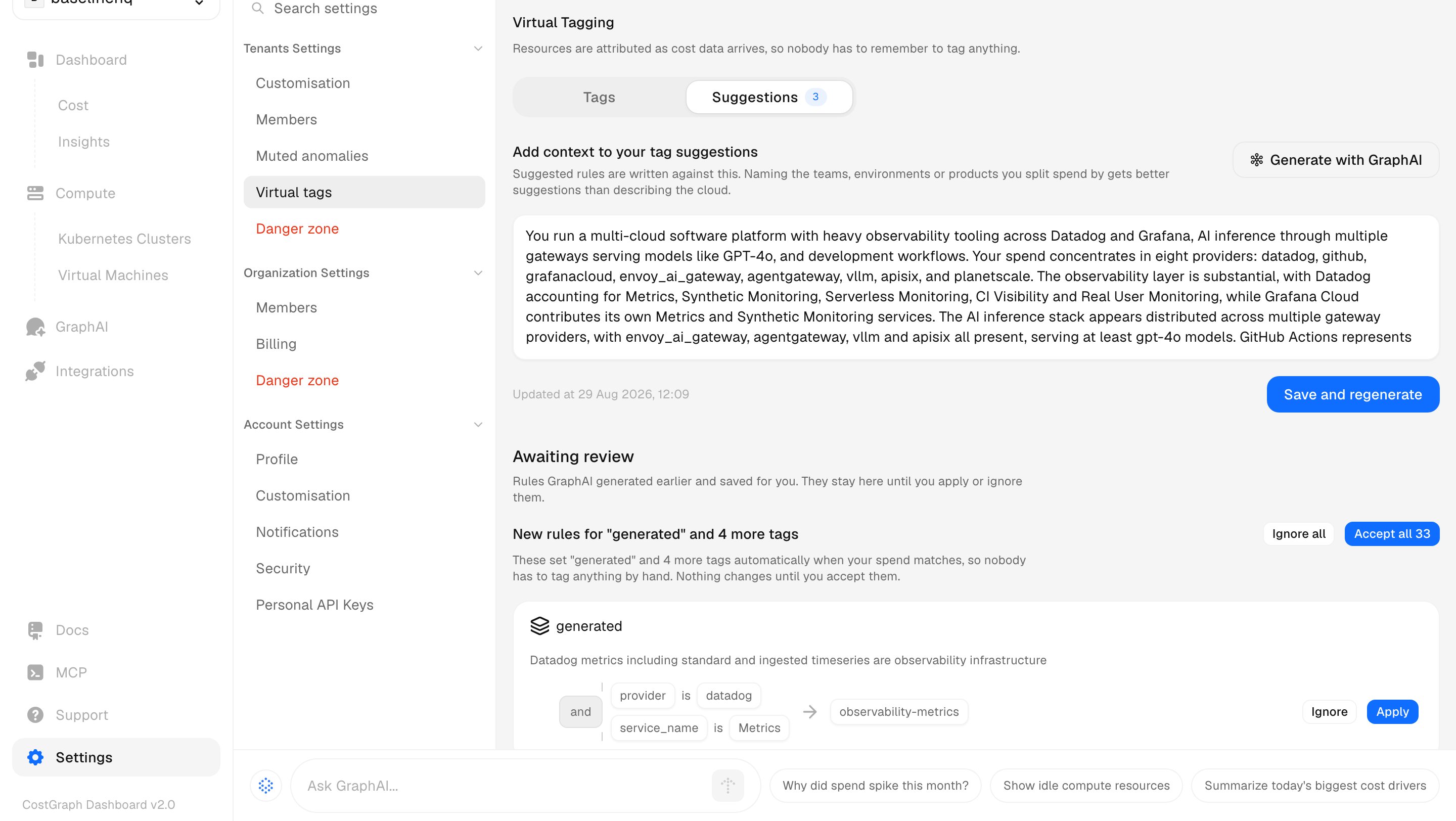
The Suggestions tab: organization context on top, generated rules awaiting review below.
Review suggestions
Suggestions wait on the Suggestions tab until you click Apply or Ignore. Graph AI never applies a rule on its own. CostGraph also regenerates suggestions every night as your spend changes.Edit several tags
Select tag keys, click Edit with GraphAI, describe the change, and click Generate rules. Graph AI drafts new rules for the selected tags.From a chat
Ask Graph AI to tag spend in a chat, in Slack, or over MCP. It proposes rules and queues them on the Suggestions tab for you to review.Next steps
Usage
Create a tag, write the rules that fill it, and preview what they claim.