> ## Documentation Index
> Fetch the complete documentation index at: https://docs.costgraph.ai/llms.txt
> Use this file to discover all available pages before exploring further.
# Overview
> Tag any resource CostGraph has indexed, without changing your infrastructure
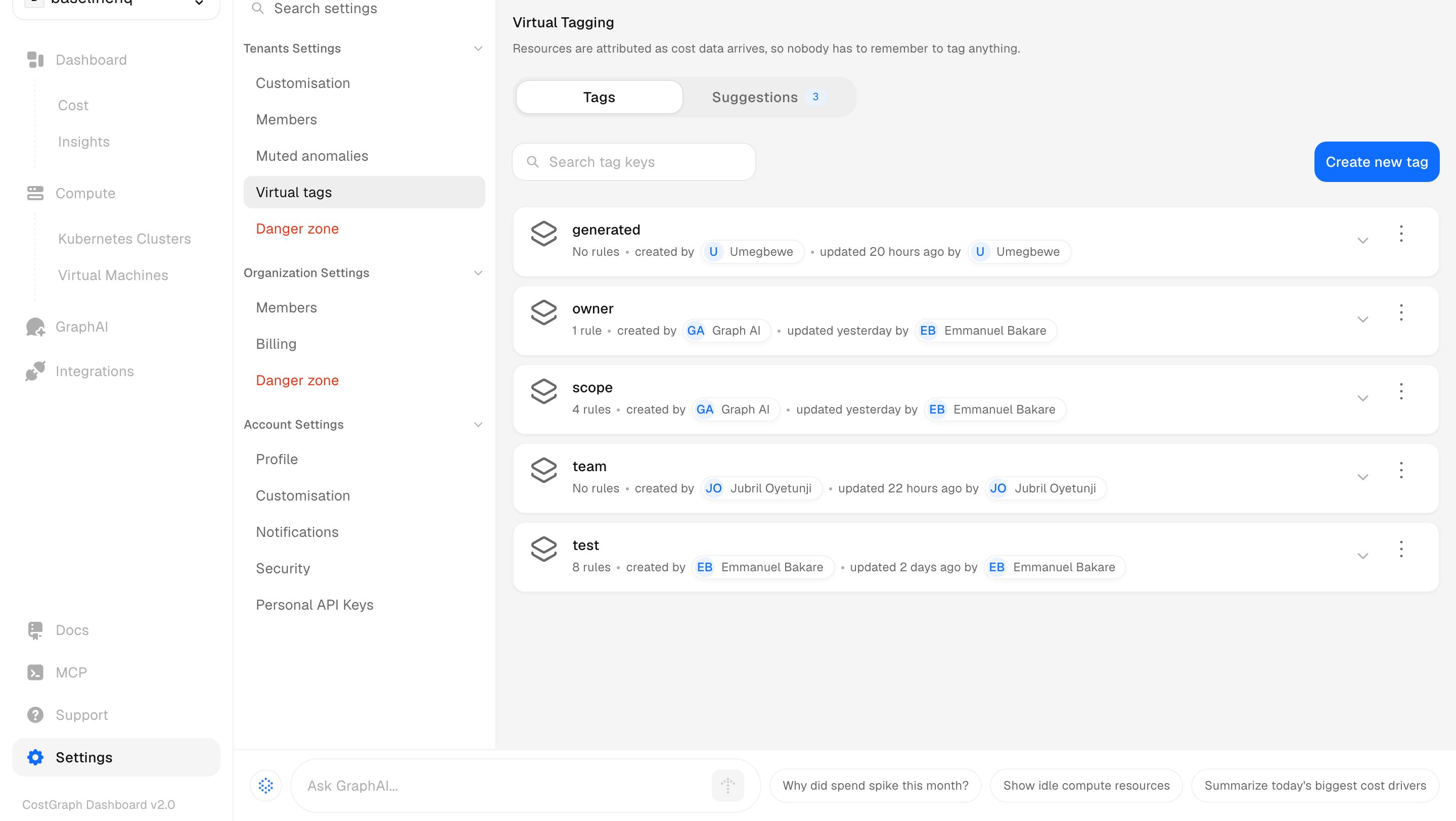
Virtual tags let you tag any resource CostGraph has indexed without changing the
underlying infrastructure. You describe which resources a tag should cover, and
CostGraph applies it live against your cost data. Nothing is written back to your
cloud account, so there is nothing to redeploy.
## Why tagging is hard
Tagging is one of the most effective ways to express ownership of infrastructure
that teams share. A good set of tags turns an anonymous bill into a map of who
runs what.
The trouble is that ownership is rarely clean. Multiple teams share the same
hardware, and in a large organization the number of teams touching a single
cluster runs into the hundreds. Some resources belong squarely to one team, many
are shared, and a few belong to everyone at once.
The mechanics make it harder still. If tags are not enforced from the ground up,
you are left with two unappealing options:
* **Redeploy** everything with the right tags baked in, coordinating across every
team that owns a piece of the infrastructure.
* **Tag by hand**, resource by resource, and keep doing it as new resources
appear.
Neither scales, and both leave gaps that show up later as spend you cannot
attribute.
## What a virtual tag is
A virtual tag is not a label written back to your cloud account. It is a **rule**,
evaluated live against your cost data. You define the conditions that describe a
set of resources, and CostGraph applies the tag every time you look at your
spend.
Because the rule is evaluated live rather than stamped onto a resource, two
things follow:
* **It is retroactive.** A rule you write today covers the spend you already
have, not just spend going forward.
* **It keeps up.** The same rule covers the resource a teammate launches
tomorrow, with no further work.
## Virtual tags vs. cloud tags
Virtual tags do not replace the tags on your cloud resources. They sit alongside
them and fill the gaps.
| | Cloud tags | Virtual tags |
| ----------------------------- | -------------------------------------- | ------------------------------------------- |
| Where they live | On the resource, in your cloud account | As a rule in CostGraph |
| To change one | Redeploy or edit the resource | Edit the rule |
| Applies to past spend | No | Yes |
| Covers new resources | Only if re-tagged | Automatically, if the rule matches |
| Can reuse existing cloud tags | n/a | Yes, a rule can inherit a cloud tag's value |
## When to use them
Reach for virtual tags when you need to attribute cost across shared
infrastructure and either cannot enforce tags at deploy time or have gaps in the
tags you already have. They are the fastest way to turn unattributed spend into
ownership without waiting on the teams that own the infrastructure.
## How it works
At a high level, a virtual tag is a **key** with one or more **rules**:
* A **key** is the tag name you group spend by, such as `team` or `environment`.
* A **rule** describes which resources take a given value, using conditions on
fields like service, region, account, or the cloud tags already on the
resource.
CostGraph evaluates those rules against your cost data at query time, so a tag is
available to group and filter by the moment you save it. When several rules could
claim the same resource, order decides which one wins, and you can preview
exactly what a rule would claim before you save it.
 ## Next steps
Create a tag, write the rules that fill it, preview what they claim, and group
your spend by it.
Price hardware you own by registering a rate and tagging the resources that
bill at it. Related to virtual tags, but for pricing rather than ownership.
Generate tag rules from plain English instead of building each one by hand.
## Next steps
Create a tag, write the rules that fill it, preview what they claim, and group
your spend by it.
Price hardware you own by registering a rate and tagging the resources that
bill at it. Related to virtual tags, but for pricing rather than ownership.
Generate tag rules from plain English instead of building each one by hand.