> ## Documentation Index
> Fetch the complete documentation index at: https://docs.costgraph.ai/llms.txt
> Use this file to discover all available pages before exploring further.
# Graph AI
> Generate tag rules from plain English with Graph AI
Graph AI writes the rules behind a tag from a plain-English description, so you
can create a tag without building each rule by hand.
## Generating tags
* **Prompt while creating a tag.** Describe how the tag should be applied and
choose **Generate rules**.
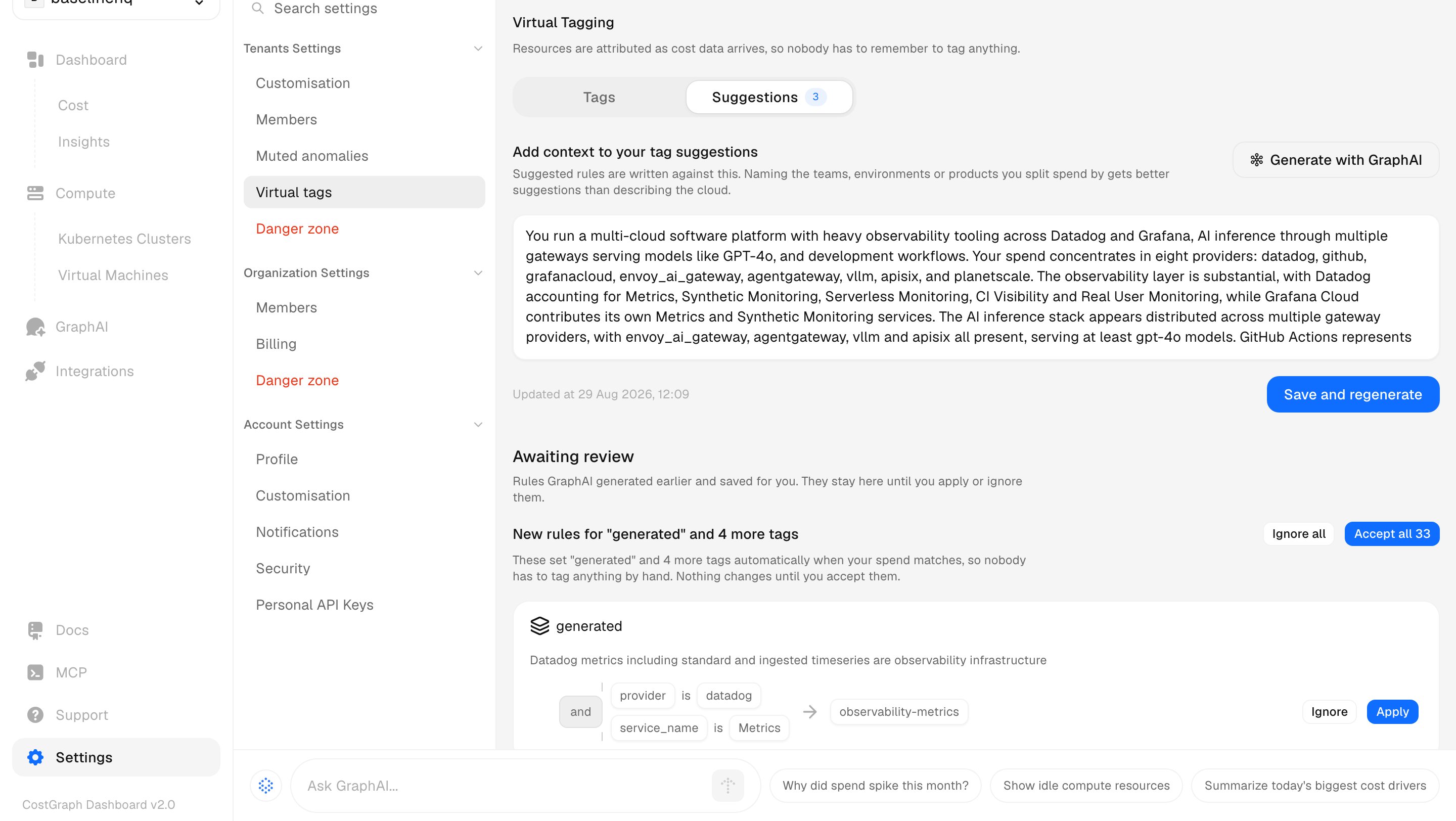
* **From the Suggestions tab.** Graph AI proposes whole tags across your spend,
and you apply the ones you want.
### Give it context
Suggestions are only as good as what Graph AI knows about your organization.
Under **Add context to your tag suggestions**, name the teams, environments, or
products you split spend by. That produces far better suggestions than describing
the cloud.
 ## Next steps
Create a tag, write the rules that fill it, and preview what they claim.
## Next steps
Create a tag, write the rules that fill it, and preview what they claim.